

Folder Monitor — network data access monitoring
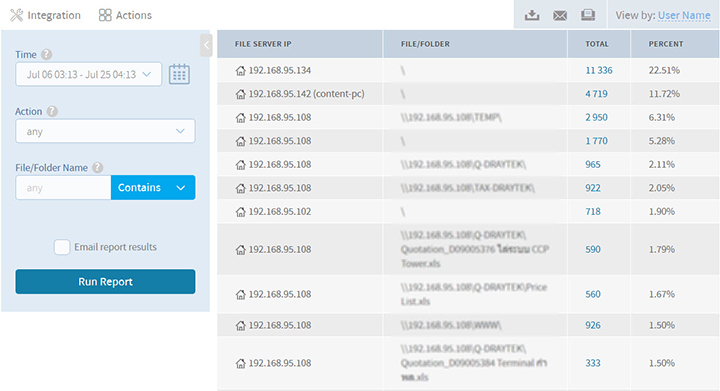
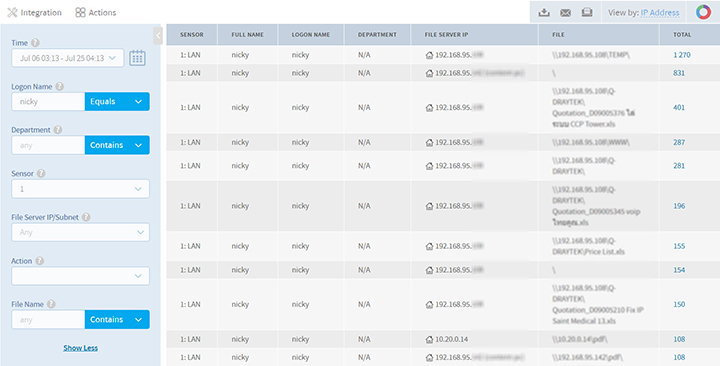
The Folder Monitor add-on for Corecasys Enterprise 7920+ monitors Share File / Share Folder use on every client on the network. You set the monitoring window you need, install once at the core, and use the data to find gaps, strengthen data security and harden the network.

Share File / Folder
Monitor Share File and Share Folder use on every client on the network
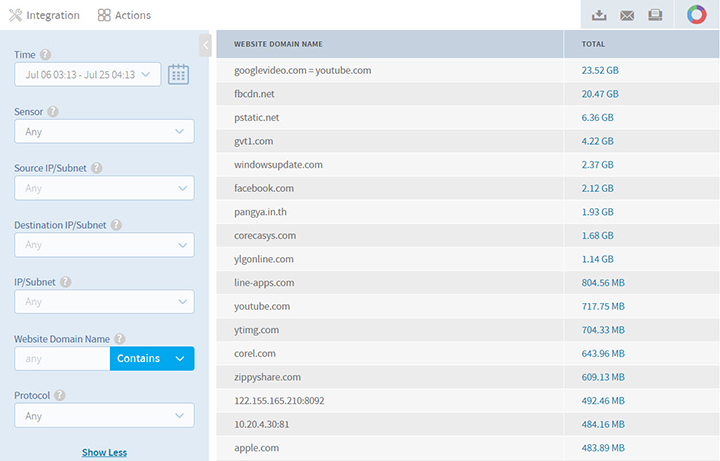
Website HTTPS
Monitor website use, including HTTPS sites
Monitor email use inside the organization
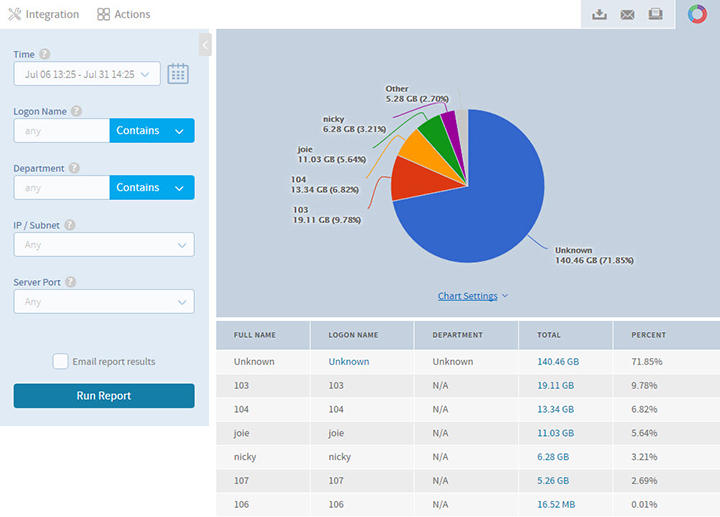
Bit Torrent / Bandwidth
Monitor BitTorrent and Bandwidth Top 10 usage
Real-time logs at 95–99% accuracy
Folder Monitor stores logs in real time at 95–99% accuracy. Within 1–2 seconds of Share File use, activity appears in the program reports.
Beyond internal data use, it can also monitor HTTPS websites, BitTorrent, email and other activity.
Folder Monitor introduction videos
Basic Folder Monitor walkthrough
Legal logging: who must store what
Benefits of installing Folder Monitor

Folder Monitor installation requirements
- Windows Server 2003, 2008, 2012
- Corecasys Enterprise 7920+
- Corecasys Switch G2240
- Folder Monitor add-on / 60,000 THB
Corecasys sells and installs with after-sales support. As a systems integrator (SI), we help you run it through to completion, including a three-week trial.
Interested in the Folder Monitor add-on for Corecasys Enterprise 7920+?
Call 086-7041555 or see Log Server · Content Log