

Mail Corecasys Enterprise — an enterprise mail server that securely syncs Mail, Calendar, and Contacts across every device, with no annual license fee and unlimited users
If you want a mail server that works like Microsoft Exchange, Zimbra Collaboration, or Kerio Connect — without annual subscription fees — Mail Corecasys Enterprise is built for organizations. It is based on best-in-class open source from Germany, hardened with an integrated Firewall in one appliance, and customized and supported by the NJ Network team.
An Exchange-like experience without an annual license fee
It is designed to deliver the same kind of experience as Microsoft Exchange, Kerio Connect, or enterprise-grade Zimbra Collaboration — while greatly reducing cost complexity. Organizations get convenience, security, and long-term operational flexibility.
Sync across every device
Email, calendars, and contacts update instantly across phones, tablets, Webmail, and Outlook.
Standards-based mail delivery
Supports SPF, DKIM, DMARC, Autodiscover, and IPv6 so your corporate mail domain looks trustworthy to receiving servers.
Built-in anti-spam
Scores mail automatically, moves spam to Quarantine, and lets you release messages back to the Inbox when needed.
RouterOS Firewall
Blocks port scans, stops intruders, restricts access to critical services by IP, and keeps event logs for review.
1) Real-time sync for email, calendars, and contacts
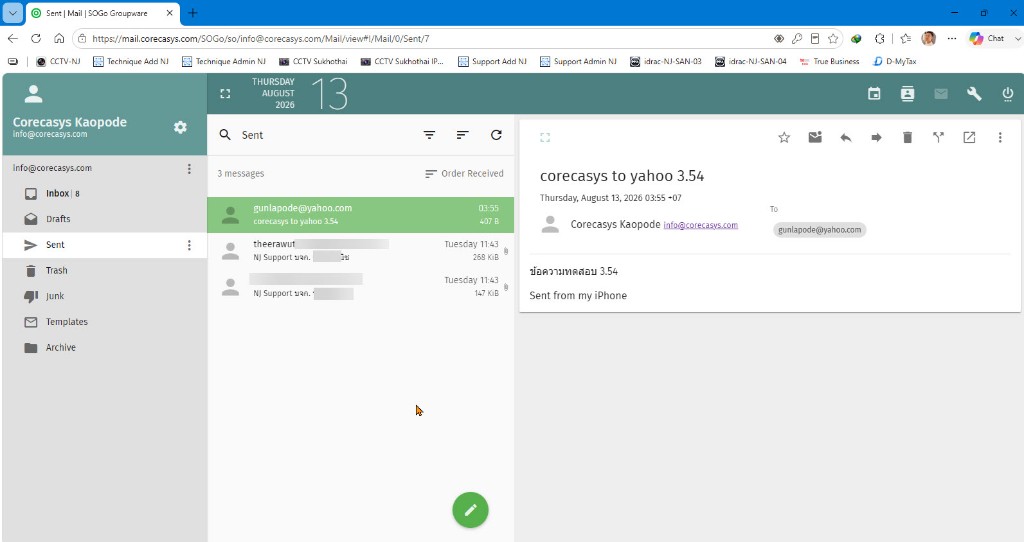
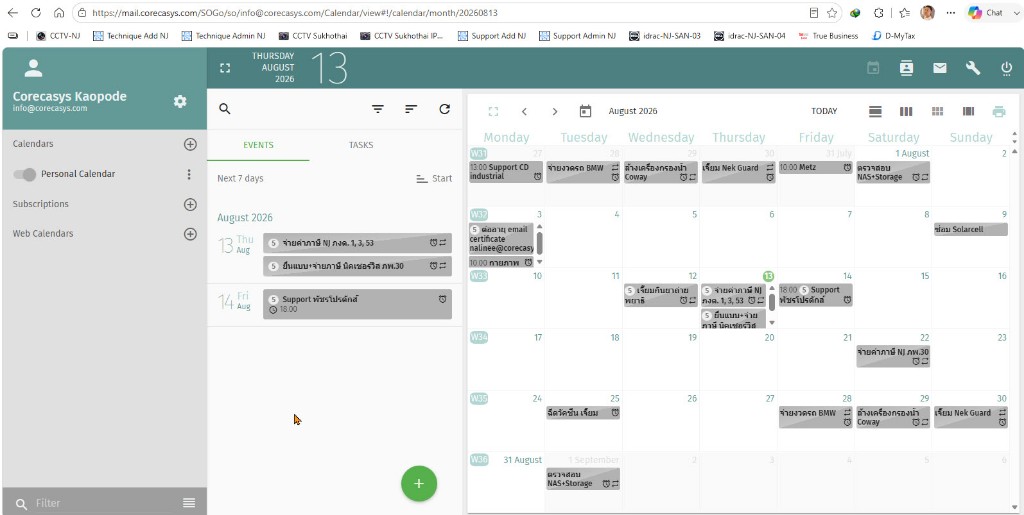
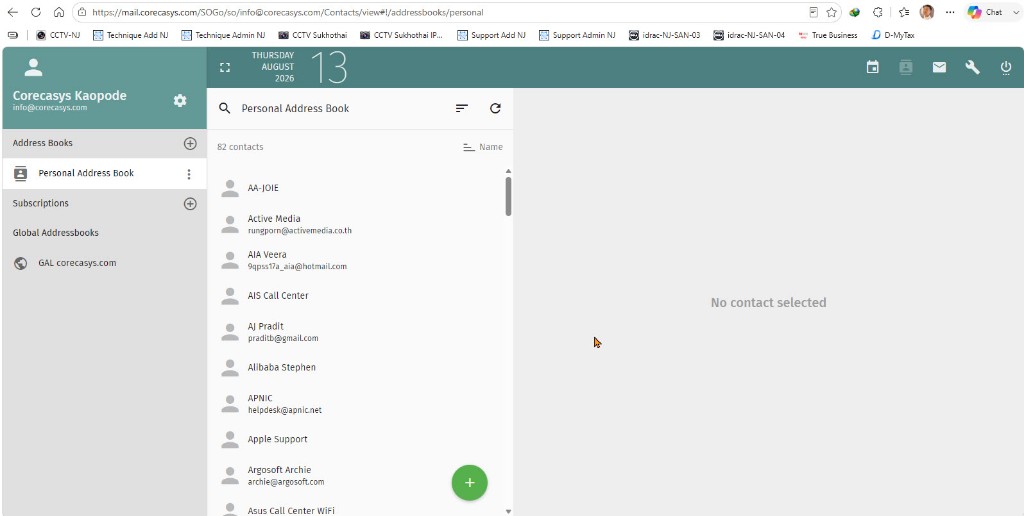
Use ActiveSync just like Microsoft Exchange so everything stays updated across devices — iPhone, Android, Webmail, or Microsoft Outlook. When you send mail, create appointments, or edit contacts on any device, the changes sync everywhere in real time.
What syncs automatically
- Email — read, send, delete, or move folders from any device and every device stays updated
- Calendar — create an appointment or meeting once and sync it instantly everywhere
- Contacts — add, edit, or delete contacts with the same data on all devices
- Supports Microsoft Outlook, including newer and older versions
2) Full email authentication standards
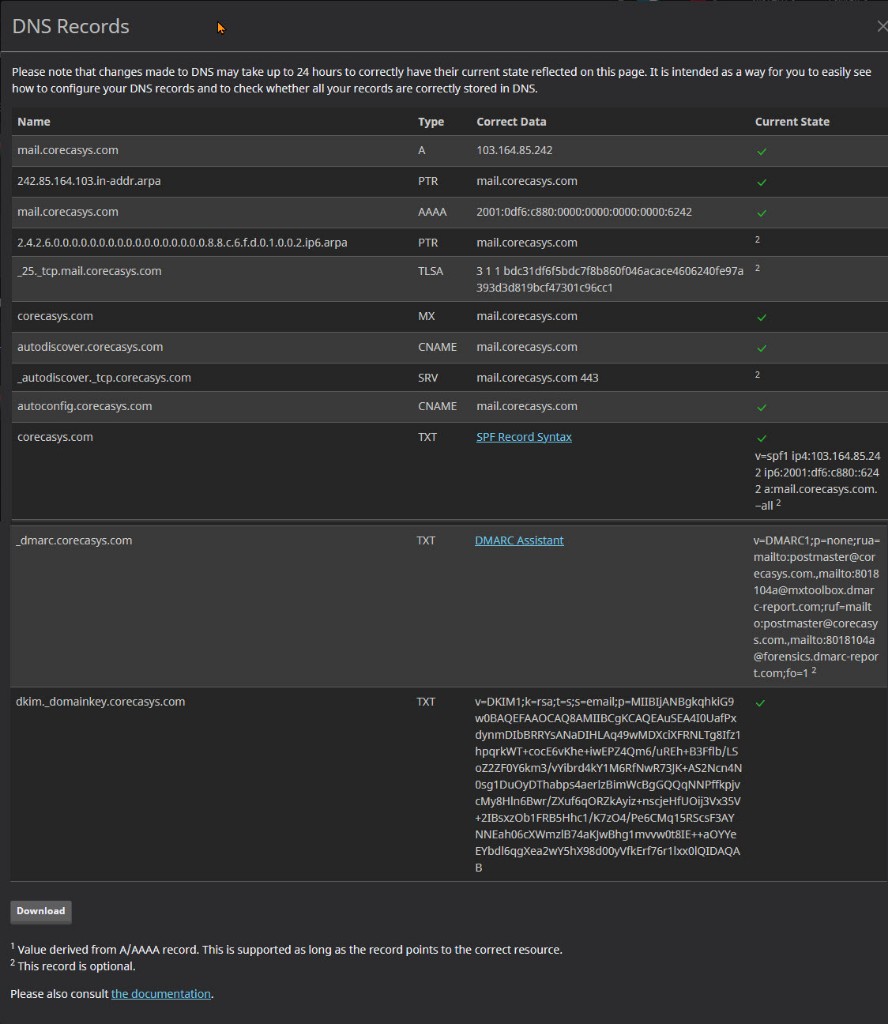
Outbound mail is highly trustworthy and less likely to be rejected or land in spam, because the platform supports the full set of key standards — SPF, DKIM, DMARC, Autodiscover, and IPv6 Ready. For administrators, this is a real differentiator: passing all of these correctly is not easy, but this system is designed to be ready from day one.
Supported standards
- SPF to verify hosts authorized to send for the domain
- DKIM to digitally sign outbound email
- DMARC to define policy when spoofed domain mail appears
- Autodiscover to simplify client setup
- IPv6 for modern internet infrastructure
Why administrators like it
- Configure the key standards in one platform
- Reduce tedious domain authentication work
- Make Outlook and user-device setup easier
- Raise the professional image of corporate email
3) Smart anti-spam with built-in Quarantine
No need to buy an extra cloud anti-spam gateway. The platform includes enterprise-grade spam filtering that analyzes every message using multiple factors — SPF, DKIM, DMARC, and sender reputation — then automatically classifies what should go to the Inbox, what is spam, and what should stay safely in Quarantine.
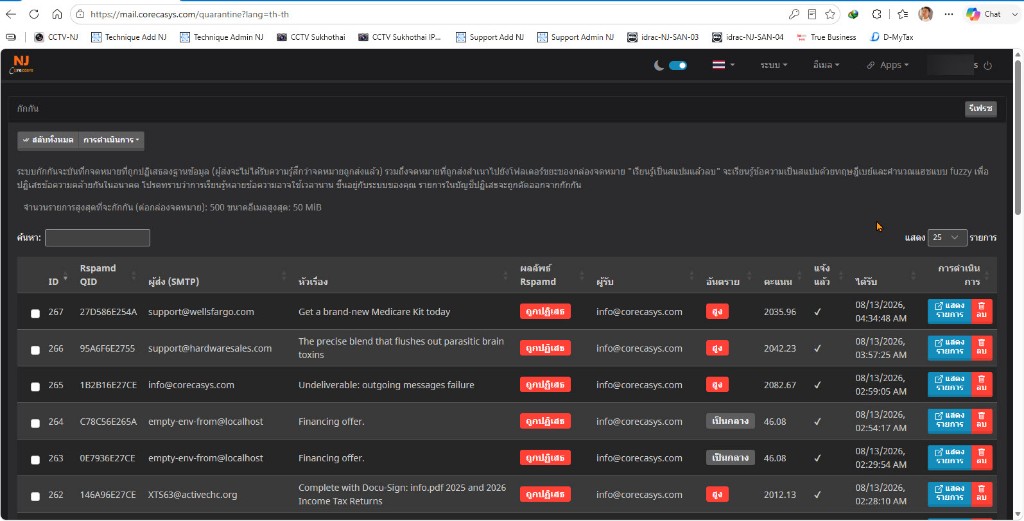
How mail filtering works
Normal-score mail goes straight to the Inbox, high-risk mail moves to Spam, and held mail stays in Quarantine. If an important message is filtered incorrectly, administrators can find it and release it back to the Inbox within seconds.
4) Enterprise firewall protection
This is more than an email system — it includes strong network protection. RouterOS acts as an Enterprise Firewall that detects port scans, blocks intrusion attempts, and allows critical services only from trusted IP addresses.
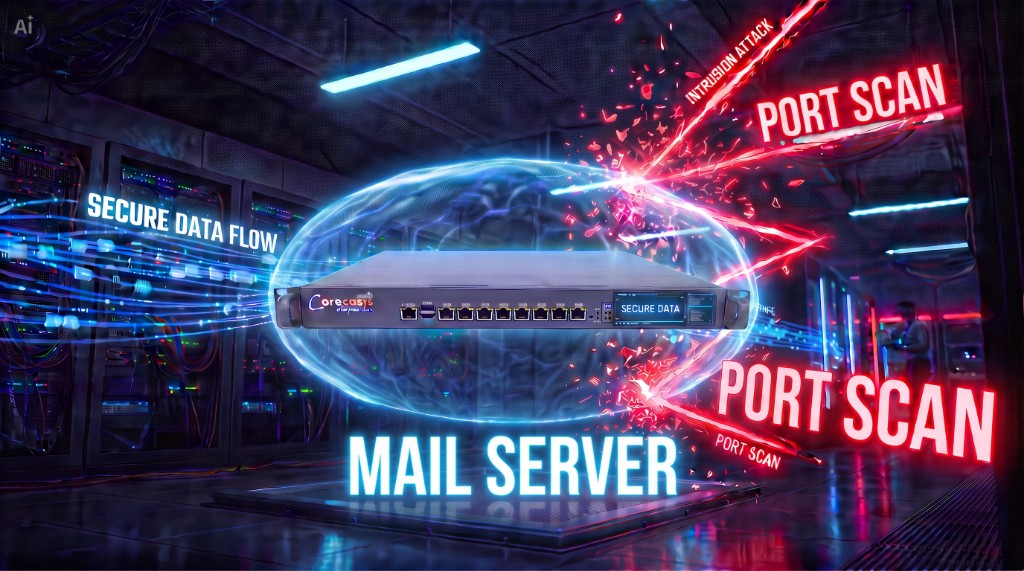
Security capabilities include
- Detect and automatically block port scans
- Log every attacker IP address
- Use access lists to allow only trusted IPs
- Restrict critical services such as POP3 and SSH to designated IPs only
5) Developed by NJ Network with 100% supportability
We are not just installers — we develop and customize the system ourselves, so we can truly support each organization’s specific needs. If something goes wrong, our team can fix it directly without waiting on an overseas vendor.
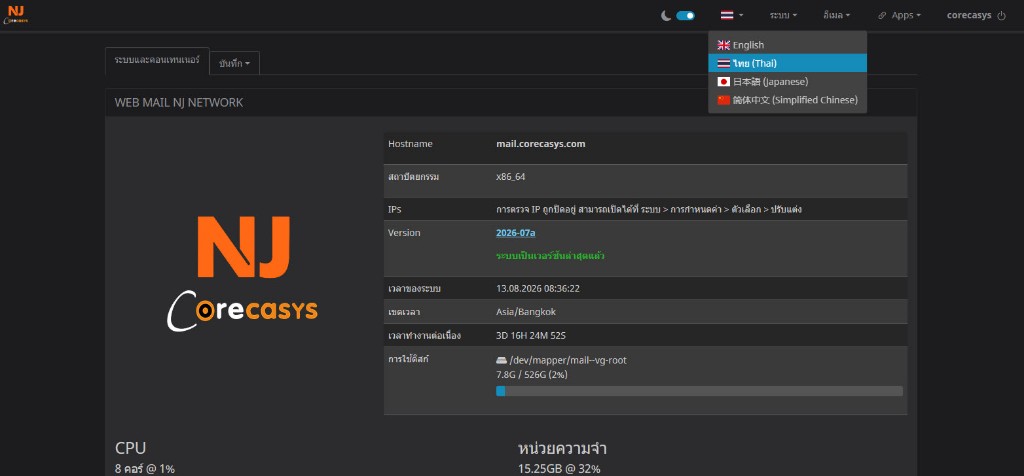
What customers can customize
- Thai language support for both Admin and User
- Replace the logo and login page with your company brand
- Expand storage capacity
- Backup and recovery systems
- Full source-code level customization
6) Complete migration from your existing system
Whether you currently use Zimbra, Kerio, ArgoSoft, or another mail server, our team can migrate everything — historical email, folders, contacts, calendars, and account structure — so your existing data remains intact and ready for immediate use.
7) Starting from only 45,000 THB
| Item | Details | Notes |
|---|---|---|
| Starting price | 45,000 THB | Includes hardware and software |
| Installation / Training | Included | Ready to guide users and administrators |
| Number of users | Unlimited Users | No per-user license purchase |
| Service model | Cloud or on-site | On-site installs should have a fixed IP |
Why it pays off long term
Private enterprise mail that your organization owns and controls — saving license costs over the long term.
Service options
- On-premise installation at the customer site
- Ideal for organizations that want full in-house control. A fixed-IP internet connection is recommended for best performance.
- Cloud Mail Server
- Ideal for organizations that want a fast start and less internal hardware maintenance.
- Migration from your existing system
- Supports migration of mail, folders, calendars, contacts, and user accounts.
- Training for users and administrators
- Includes usage training and post-install administration guidance.
Try it free before you decide
Call 086-7041555 / 089-8555055 | info@corecasys.com
NJ Network Co., Ltd. is ready to design the right email system for your organization — small, mid-size, or enterprise.